Skip to main content
How do I set a DMX Address to my RPS?
- Press and hold button “1” until the numeric digital display flashes, then release the button.
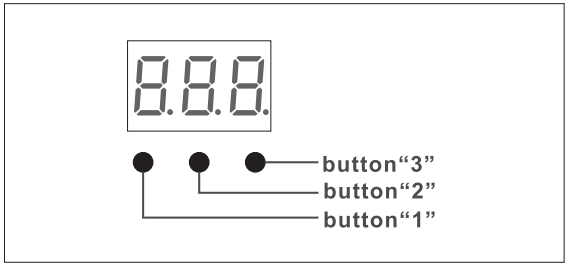
- Click any of the three buttons once to select a digit, then click again to change the digit until the desired DMX address appears.
- Use button “1” to set the hundreds position.
- Use button “2” to set the tens position.
- Use button “3” to set the units position.
- Press and hold any of the three buttons until the numeric digital display stops flashing to confirm the setting.
Comments
0 comments
Please sign in to leave a comment.